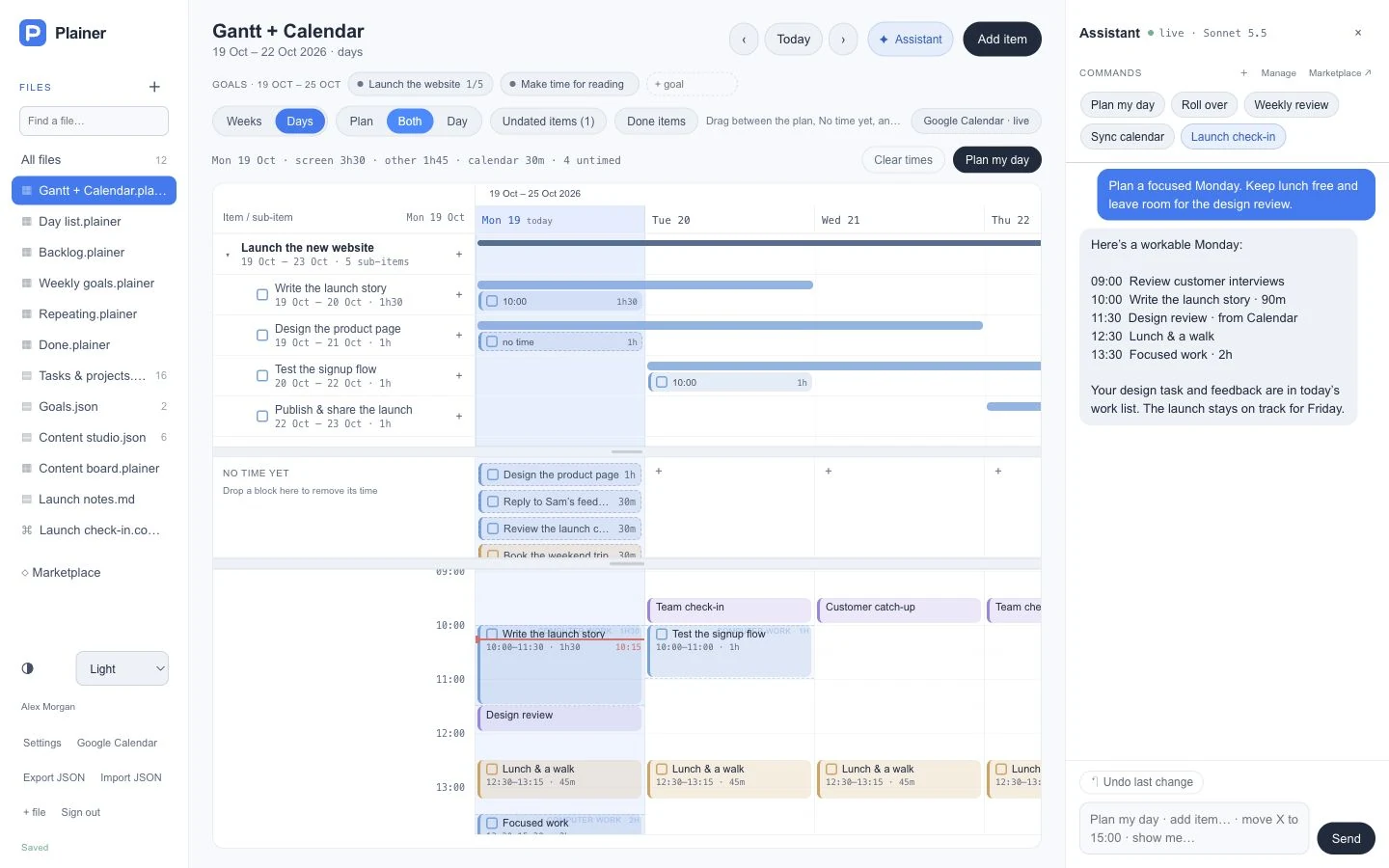
Plainer Gantt + Calendar is the original Plainer view. Projects and their steps sit on a Gantt timeline at the top, with untimed tasks and a full-day calendar below, so the long plan and the day stay in one picture.
View · Plainer Gantt + Calendar · By Plainer · Version 1
Free, no account needed. Opens Plainer with an example plan and shows what the template adds before you install it. Sign in when you want to keep it.
plainer.appExample workspace
The Gantt + Calendar view in a fictional example workspace.Click to explore full size ↗
What it does
Nested projects and subtasks on a Gantt timeline.
A “No time yet” row for tasks that have a day but no time.
A full-day calendar below, with shared sideways scrolling and draggable dividers between the parts.
Uses your existing tasks and projects. Every workspace already has this view; installing adds a separate copy of your own.
What you get after installing
Gantt + Calendar.plainer
Opens Tasks & projects.json as the Gantt + Calendar planner.
Installed files are your own copies. Files that use your tasks, projects or goals keep using your existing content. Commands run only when you choose Run.
Who it is for
People running projects with steps and dates who still need to plan the day.
Anyone who wants a Gantt chart and a daily calendar without two separate tools.
How to install it
Select Use this template. Plainer opens with an example plan, no account needed.
Check what the template adds, then choose Install my own copy. Without an account, it is saved in this browser.
Sign in or create a free account to keep it. Your guest plan, with the template, moves into your account. Commands that use the assistant need the account.